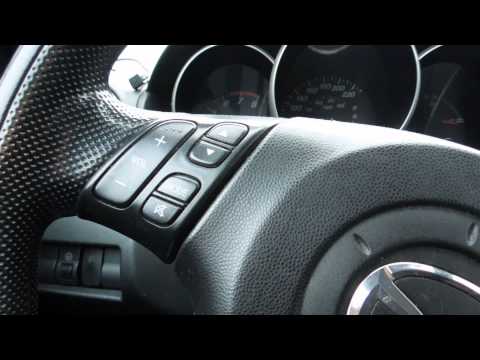
please like this video 🙂 Facebook: http://www.facebook.com/Ghostlyrich Twiiter: https://twitter.com/ghostlyrich hope it helps you and feel free to ask me qu…
please like this video 🙂 Facebook: http://www.facebook.com/Ghostlyrich Twiiter: https://twitter.com/ghostlyrich hope it helps you and feel free to ask me qu…
You must be logged in to post a comment.
)
if your dash looks the same as mine you should be fine
autolismo he has some pretty nice 6k ones i used the canbus ballists
and how do I find out if itll work with the radio.
do you have hid? if so what site would you buy from. both of my cars I have them used different sites but they still aren’t as bright as my friends… anyone know… thanks
yes it should work the same
what abour the 2008… would it still work like the way your car is
the steering control wire attachs to a module which talks to the car. look up the axxess asw1 you can download the instructions on how to wire it right from metra 😀 feel free to ask and il help asni can
Would you be able to tell me how to connect my steering wheel control to my deck? I have the clarion with the steering wheel control wire already on it! I have the 2005 mazda 3 s hatchback.
the kit is a mazda 3 2006 kit made by bestkits i made the lcd mod myself if you click the annotaion or look at my other video by search mazda 3 2006 lcd screenmod it will show you how to mod the kit to use the lcd display
Hey man, thanks for this great video! I’ll be doing this myself in a few weeks once I get all my parts together. A question: How do you like the installation kit? What’s the make and model? Where did you purchase it? I need the exact same one. Thanks!
Just tempature in vehocle rest is blank
Any way to connect the LCD screen an keep it showing temp time etc with installing an aftermarket stereo?
ok thx dude
Yes you need the sterio, din kit, vehicle wiring harness
so daths a small peace dath i need to add the cable? 🙂
If you switch out from stock don’t cut anything go into a audio shop or best buy or future shop or metraonline and by the vehicle harness. Will make your lige sooo much easier
the cables in the dashboard are the same that if you go to another radio of a stock radio or do you need some sort of cut scene?
hey mate did you get it sorted ?
Hmm sure you got the right pack module ?? Sounds like the deck isnt getting the codes when you press volume up does the pack module light do anything and press volume down
Okay, thanks for the clarification. i got the green/white connected and all the ground wires connected. I start it up, the autodetect does its thing and the light goes solid meaning that it detected my radio. So you would think i would be all good. But none of my controls works still. So i go into manual program mode, it thinks its a kenwood. so i manual program all the buttons, that goes as suppose to, i manual switch it to pioneer and finish. STILL no controls. THe light is solid too. AVHX5500
It will give you pin numbers for the wires. If there is a all black ground it goes to chassy and what not. Its been a while since i did it but yea if it says optional on one if the wires do it any way as i had to do it on mine
okay do i do that for the ground wire aswel? or just the greeen/white
okay yes i see now. what about the ground wire? do i only need to do the green/white splice to the radio harness?
i have all the wires from the pac module crimped to the harness adapter. the only thing that does not make sense with the pac module diagram is this green/white wire. theres no pin where its suppose to go. theres two blue wirees on the opposite side of it
A simplier answer is yes you need to get it from the other side and clip it and connect off of it 😀
Hey buddy i needed to branch off on. Do you no how to t solder ? If not i have a video on it its ver simple or you can cut it and but connect it. The pac module will tell youwhat wire it is and you need to cut it from the vehicle side of the harness. Let me know how it goes
hey ghostly, I’m trying to integrate the steering wheel control module into the wire harness. I cant figure out where this green and white wire from the module goes into the harness. because it shows it goes at 1n but theres no pin for that on the harness, its on the opposite side in the middle. did you have to clip anything out
Not able to link. But there is a link to it if you click the annotation at the end of the video im on my cellphone right now
link?
Yes the maker is “best kits” but you need to modify the bracket.i made a video on how to modify it
lol i couldnt describe it and thats the only thing that was in there. anyways, can i order it online?
Don’t have a holster for my car air freshener lol i bought the kit from futureshop
where did you buy your installation kit so where it has that little holster for your car freshener?
Yes