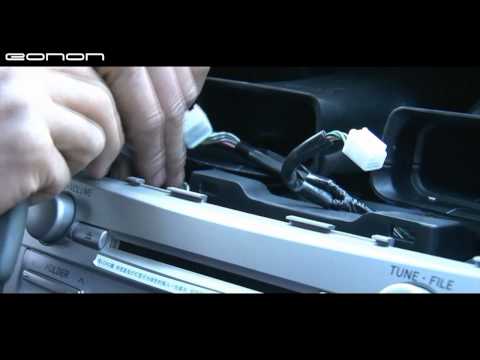
Here is a video to instruct you how to install eonon upcoming series– Installations Dash Kits for specific car brands, like ford focus, mazda 3, VW golf, To…
Here is a video to instruct you how to install eonon upcoming series– Installations Dash Kits for specific car brands, like ford focus, mazda 3, VW golf, To…
You must be logged in to post a comment.
)
If I have a non factory wood trim kit installed around the factory radio, will your DVD payer still fit?
Hello leladr1971, please do not worry. If in this case, you can directly email to eonon.com#sbo2.net ( please use @ to replace #) and also provide the serial number. Our customer service will help you soon. The serial number can be found on the top or at the bottom of the unit. Thanks.
hi how can i contact someone to fix mine its the same model when im driving it will play the radio then it will go to mp3 then will have a clicking sound n frezz
Hi man, installing a backup camera is very easy. Just connect the VIDEO OUT of your reverse camera to BACK SIGHT VIDEO IN of DVD unit, connect the power cable of the reverse camera to the power of reversing light of your car, and connect the reversing wire of DVD unit to your reversing gear in your car.Then it will be change to the reverse model automatically when you reverse. (PS: the Back Sight Video In port is in the back of the unit.) Hope it helps! 🙂
Hey bud, Like your video. How do I Install a universal license plate backup camera with this unit? how do i wire the cable ? do i need to remove the panels if so how? Thanks
Part III:B.Braking Shift control cable: If it is not connected to Hand-brake switch, screen will display “Warning” and without picture. But the sound is OK.You need to connect the braking cable to the Ground cable .
Part II: Back car control cable: After connecting it to the power, if there’s no camera in, it will be blue screen. And it will display “RV” “BACK” or “CAM”on the screen. In this case, the buttons on the panel and remote controller can not work and there is no sound, no operation can be done. You need to connect the reverse cable to the reverse gear or reverse switch in your car If you don’t use a reverse camera,you don’t need to connect back car control.
Hi friend, please do not worry. ACC(red)is connected to the ignition switch; & BATT(yellow)+ is connected to 12V of your car; GND is connected to the ground.
Niceeee and clean!
hey pal i need your expertise. I ‘m installing a Navi system aswell on a 2010 camry but i have 4 loose wires. Where do you hook up the ‘Reverse’, ‘Back’, ‘AMP’ and ‘GND’ from the harness?What color OEM factory wire do i hook it up to and the best spot to do it. I have a cam in the back aswell. Any help would be great.